
Overview
Gemini Chat connects your WordPress site to Google’s Gemini AI models via API — ideal if you’re working with Google’s $300 free credit offer.
What It Does
- Brings Google’s latest AI models directly to your website
- Supports multiple model variants (Flash, Pro, etc.)
- Simple API-based integration — no complex setup
Perfect For
- Developers and site owners with Google Cloud credits to spend
- Anyone wanting cutting-edge AI without the enterprise complexity
Installation
- Upload and activate the plugin file:
gemini-chat.zip
Configuration
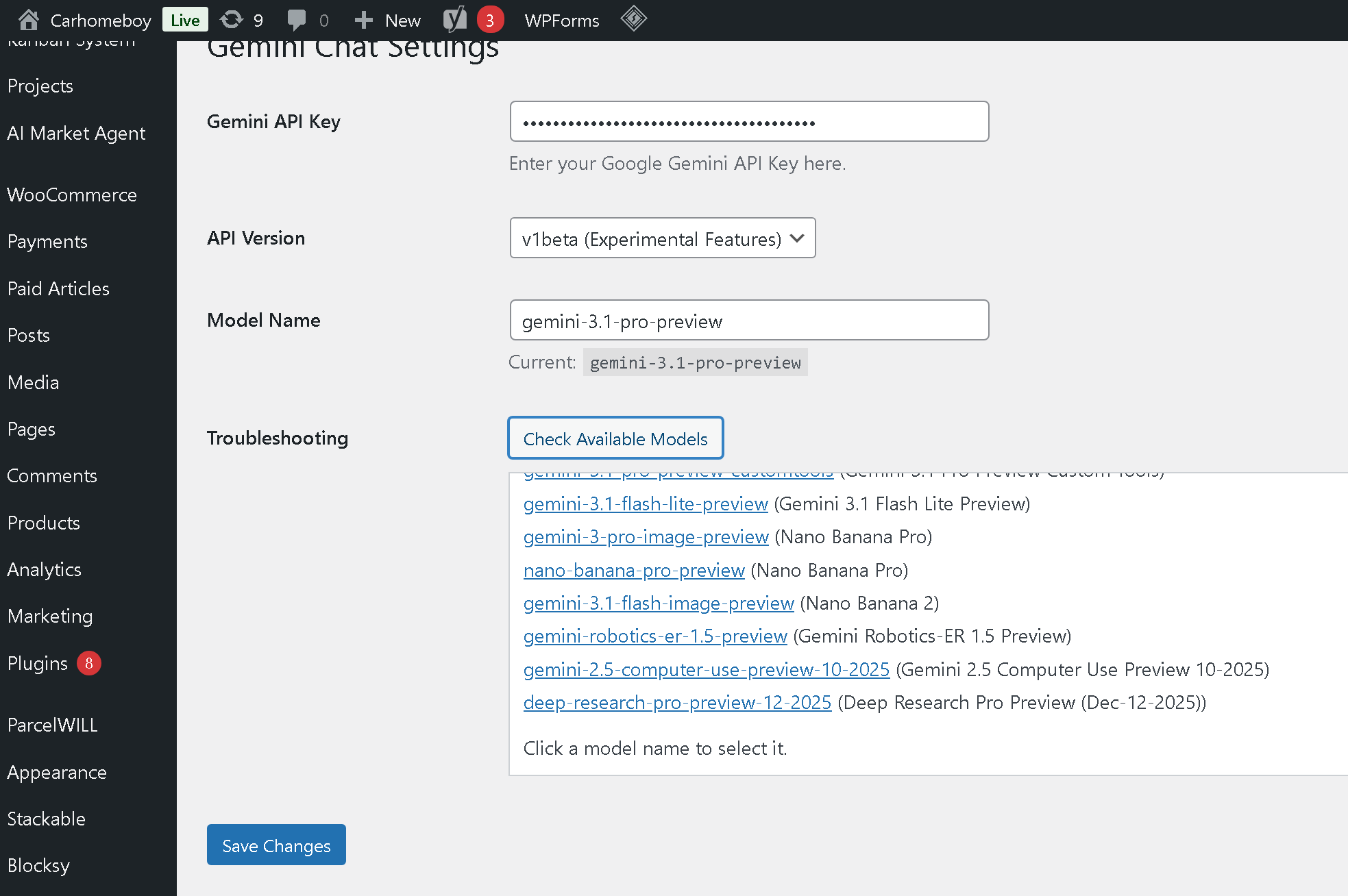
- Go to Settings → Gemini Chat
- Enter your API Key in the provided field
Testing Your API Key
- Click the “Check Available Models” button below the API Key field
If Everything Works
- You’ll see a list of available models (e.g.,
gemini-1.5-flash,gemini-1.5-pro, etc.) - Click on any model name in the list — it will auto-fill the Model Name field above
If Something’s Wrong
- The plugin will display a specific error message explaining the issue (invalid key, permission denied, etc.) Please make sure to select the righit model.Please refer to Google api models doc.
Final Steps
- Save your settings
- Test the chat interface on your site’s frontend